Question:
For my API call to create a job, I get the error ""Invalid product options. Sku not found" How do I get the correct parameter values?
Answer:
Complex rules determine which values are valid for different products (documentClass). There are two ways to determine the valid combinations:
1. Recommended - Use Job Templates. This allows you to choose parameters in the UI and save them as a "job template". You can create as many job templates as you like and give them different names. In your code, call the API POST /jobs/jobTemplate with the name of the job template. You do not need to send the parameters in the API call. The system will refer to the job template and create the job appropriately. This is documented here:
https://developers.click2mail.
2. Use the Job Configuration screen of the UI to get the values for the POST /molpro/jobs API. Screenshots below:
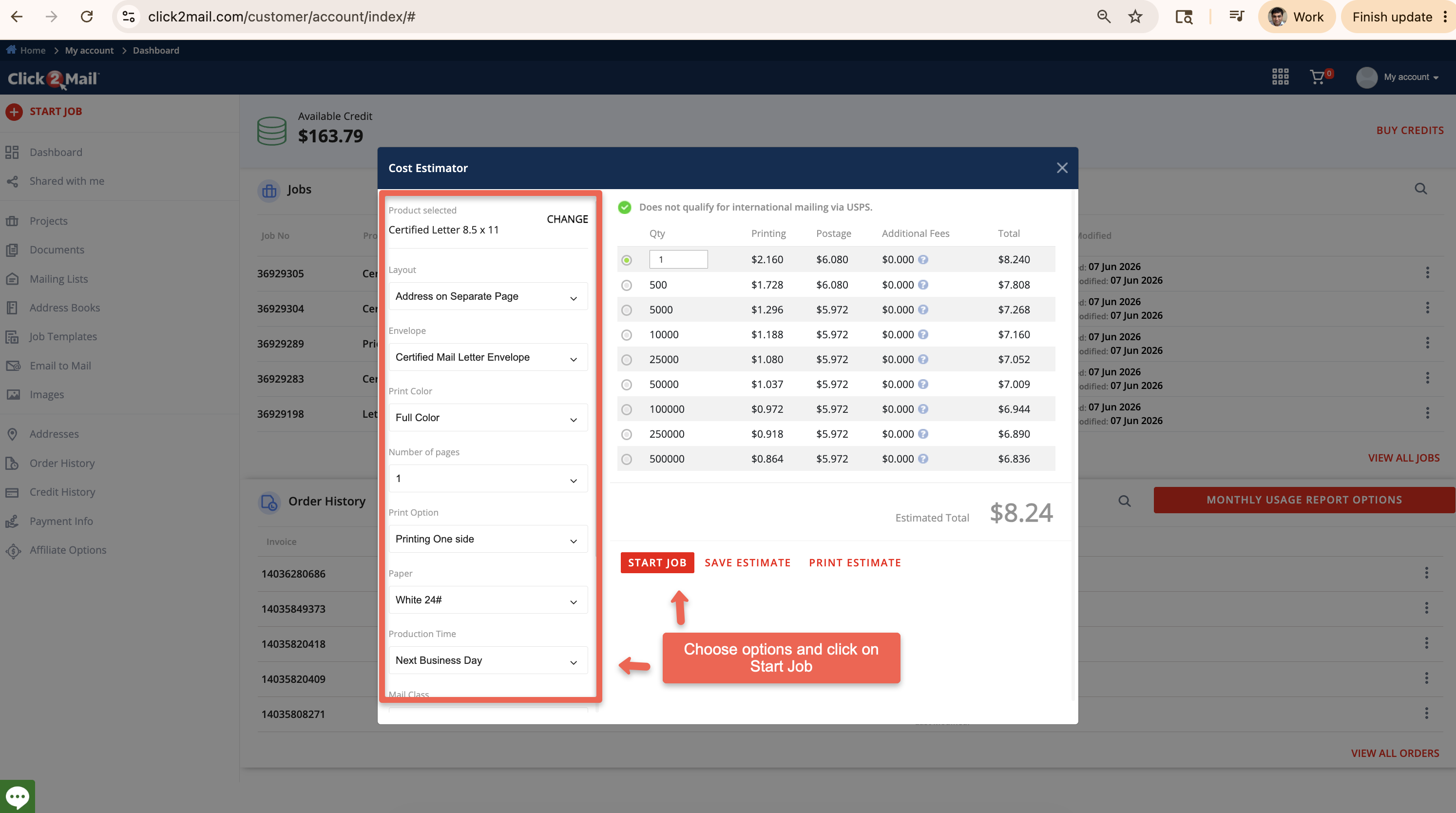
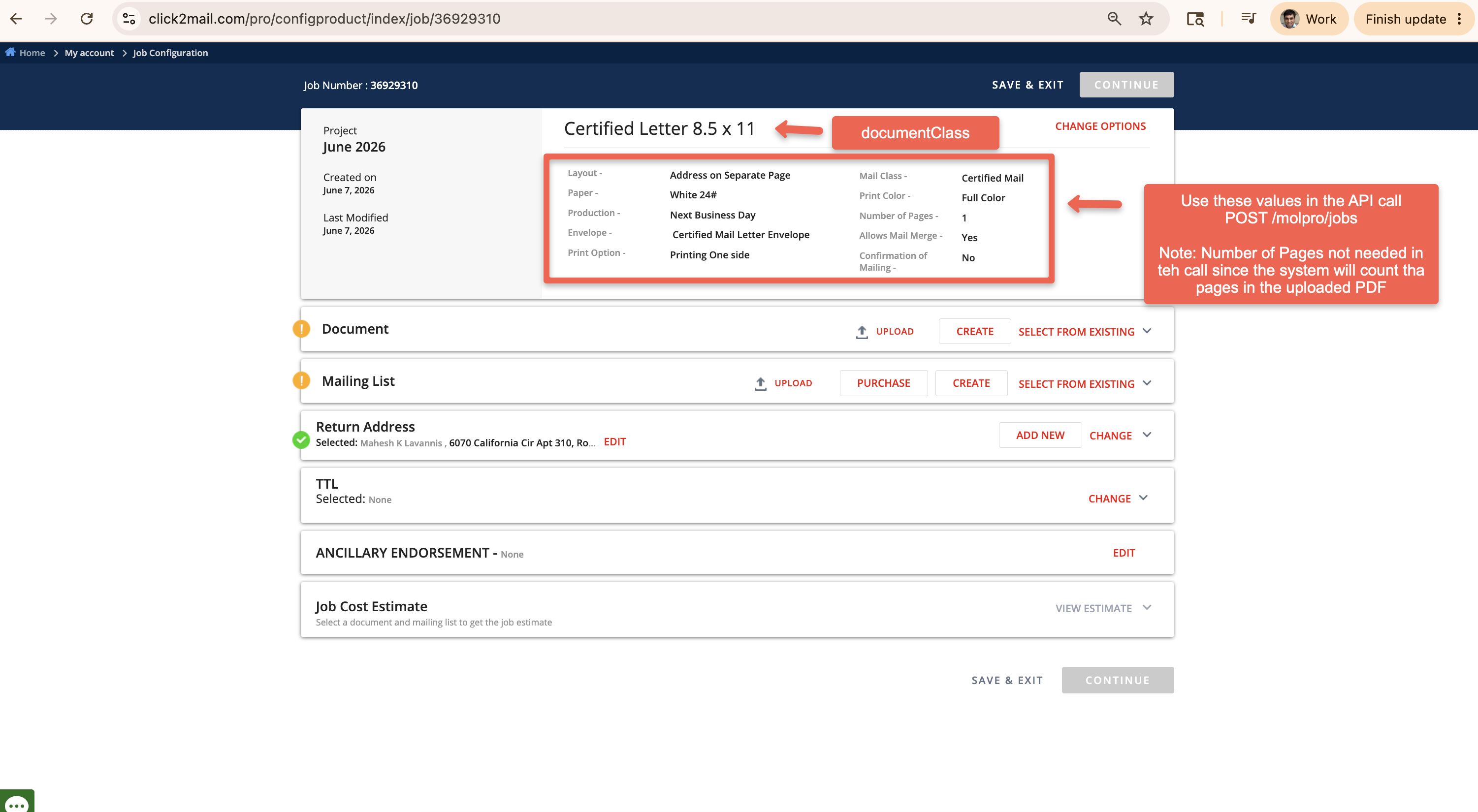
If, for some reason, you need to get the valid product options programmatically, you can use the API GET /molpro/productOptions/
Liz
Comments